Verified: November 2022, container setup on a Linux server; project list and platform availability change over time.
Volunteer computing: computer users donate CPU time and storage to scientific projects, which solve problems via distributed computing. BOINC is the tool that makes roughly 30 such scientific projects available and configurable through one interface, with resource controls and reports on work contributed. The current project list with descriptions: https://boinc.berkeley.edu/projects.php – not every project runs on every platform, and some require a fast dedicated GPU.
Before starting
- On laptops and desktop PCs, sustained CPU load raises power consumption and can reduce hardware lifespan.
- Cloud servers (Azure, AWS) are unsuitable: their billing is based on CPU time and data transfer – donating capacity there costs real money.
- A continuously running home server or Raspberry Pi is the natural host.
Installation
Manual: installer from https://boinc.berkeley.edu/download.php, works on every common platform; can be configured to run as a screensaver so it only uses resources when the machine is idle.
Container (Docker Compose example):
services:
  boinc:
    image: lscr.io/linuxserver/boinc
    hostname: "boinc"
    container_name: boinc
    environment:
      - PUID=1000
      - PGID=1000
      - TZ=Europe/Berlin
      - PASSWORD=xxx
    volumes:
      - ./config:/config
    restart: unless-stopped
    logging:
      options:
        max-size: "10m"
        max-file: "3"
    networks:
      - dmz
    deploy:
      resources:
        limits:
          cpus: 1.00
          memory: 2048M
networks:
  dmz:
    external: true
Notes on the compose file:
deploy – resources – limitscaps what the container may use; one CPU unit equals one thread (1.00 of 8 threads = 12.5%). Resource limits can also be set inside BOINC itself – the compose cap is a belt-and-braces measure.- A port mapping is only needed without a reverse proxy; then the instance is reachable on that host port.
- Set
PASSWORD– it protects the virtual desktop served in the browser. The login user is hard-set toabc.
Usage
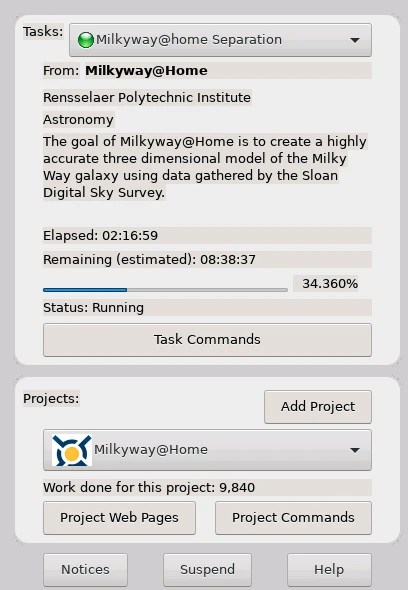
Start the application (or open the web desktop in container mode), attach to the projects of interest, and the work units run on their own; no further interaction is required. Contributions are visible in the program's reports or on each project's page, where a participation certificate can be generated.